Logo
Sign in HotDoc Academy Submit request Remote support I'm a patient

  1. HotDoc Support
  2. Browse By Feature
  3. Telehealth

  1. HotDoc Support
  2. Browse By Feature
  3. Telehealth
Print Friendly and PDF   Follow

How do I set my Practice location to Telehealth only?

Last updated 09 December 2024 02:02   ∙   ~ minute read

Question

I am a Telehealth only practice and do not have a practice location. How do I reflect this on my HotDoc bookings page? 

Solution

If you are Telehealth only practice or your practice was conducting in person consults but is now switching to Telehealth only appointments, please follow the steps below to update your profile location and appointment types. 

  1. From the HotDoc Dashboard, click Setup > Practice Profile.

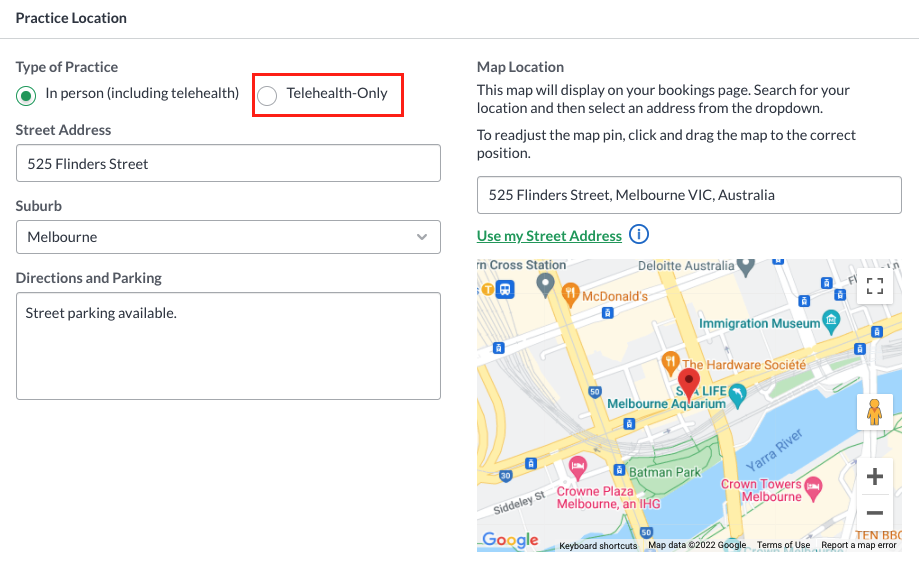
  2. Scroll to the Practice Location section and select Telehealth-Only.
    Screen_Shot_2022-04-07_at_4.01.16_pm.png

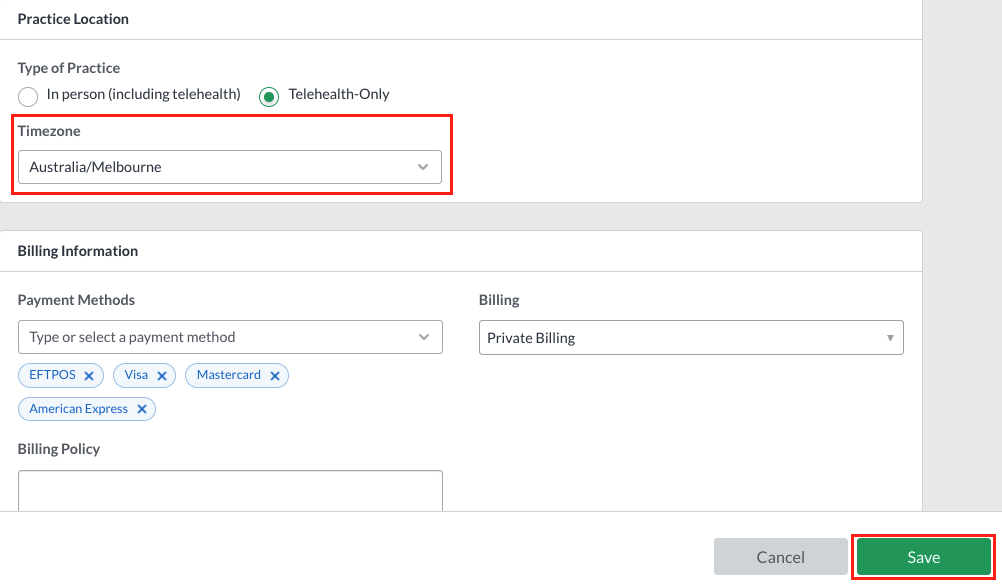
  3. Ensure your timezone is set correctly, then click Save. 
    Screen_Shot_2022-04-07_at_4.11.04_pm.png
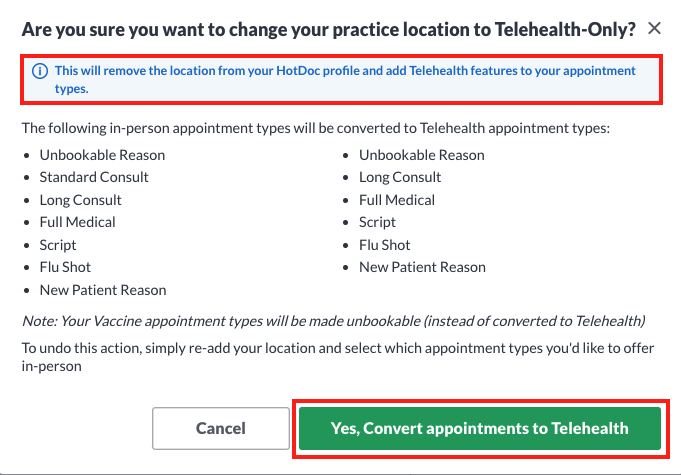
  4. Next, click Yes, convert appointments to Telehealth to confirm that you would like to update your practice location and appointment types to Telehealth-only.
    Screen_Shot_2022-04-07_at_4.04.38_pm.png

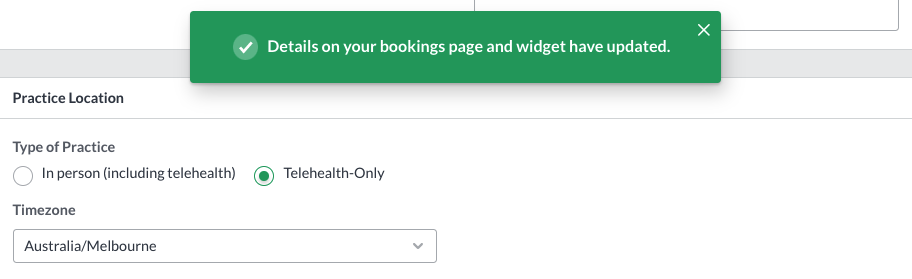
  5. You'll then see a confirmation that your details have been updated. 
    Screen_Shot_2022-04-07_at_4.05.01_pm.png
Was this article helpful?
Submit Feedback

0 out of 0 found this helpful

Related articles

  • How to process appointments in the Sidebar
  • How do I set up a practitioner for Telehealth appointments on specific times or days?
  • How do I update my practice from Telehealth only to In-person consults?
  • Getting Started with Online Bookings
  • How to respect patient opt out preferences from your clinical software

Related articles

  • How to process appointments in the Sidebar
  • How do I set up a practitioner for Telehealth appointments on specific times or days?
  • How do I update my practice from Telehealth only to In-person consults?
  • Getting Started with Online Bookings
  • How to respect patient opt out preferences from your clinical software
© 2023 HotDoc Online Pty Ltd | Terms of Service | Privacy Policy | Contact Us
© 2023 HotDoc Online Pty Ltd

Terms of Service | Privacy Policy