Logo
Sign in HotDoc Academy Submit request Remote support I'm a patient

  1. HotDoc Support
  2. Browse By Feature
  3. Check-In

  1. HotDoc Support
  2. Browse By Feature
  3. Check-In
Print Friendly and PDF   Follow

How to setup your HotDoc Kiosk Floor Stand

Last updated 09 December 2024 01:35   ∙   ~ minute read
Best Practice - Medical Director (Pracsoft) - Zedmed

Question

I've received my Kiosk floor stand. How do I set this up?

Solution

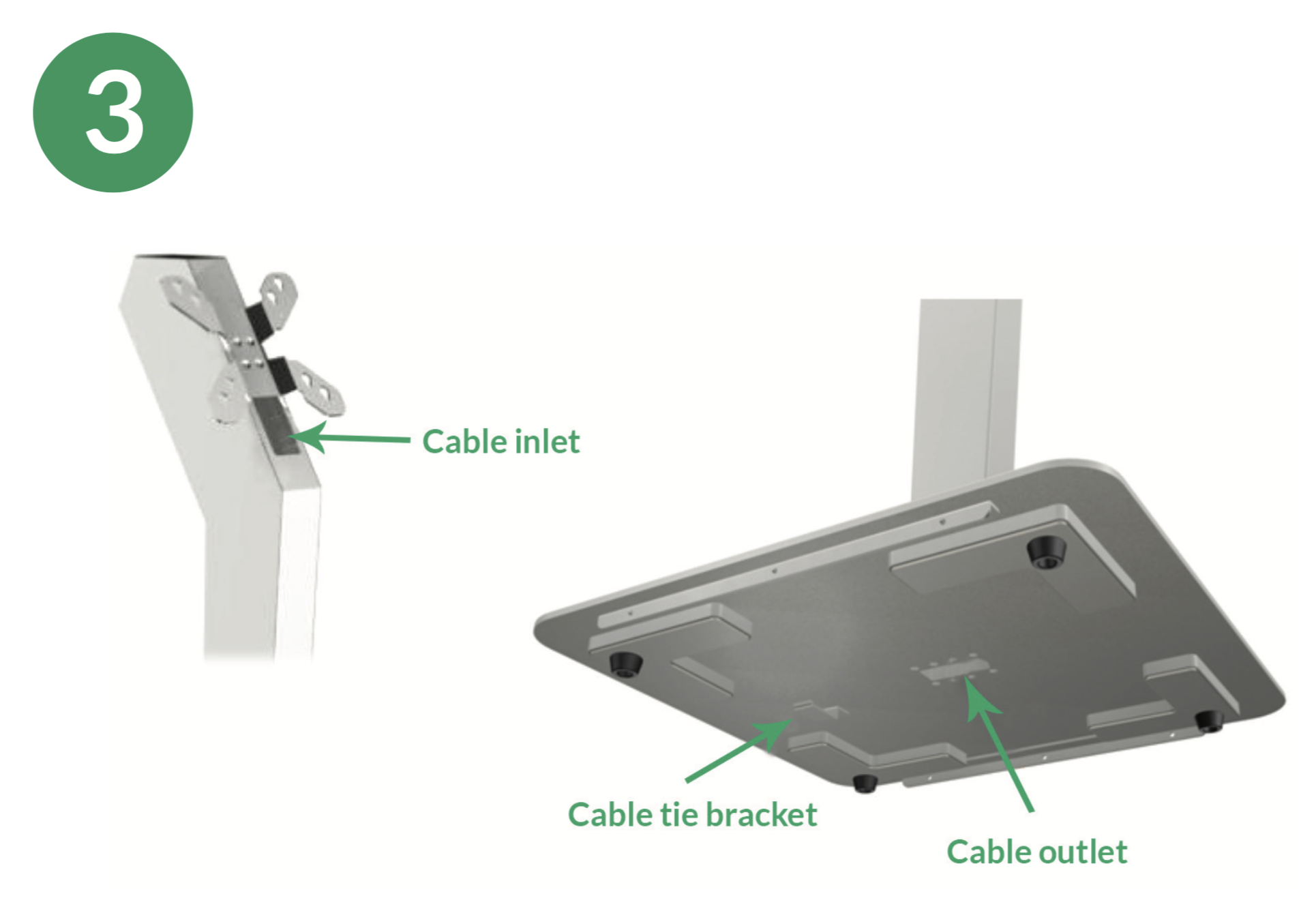
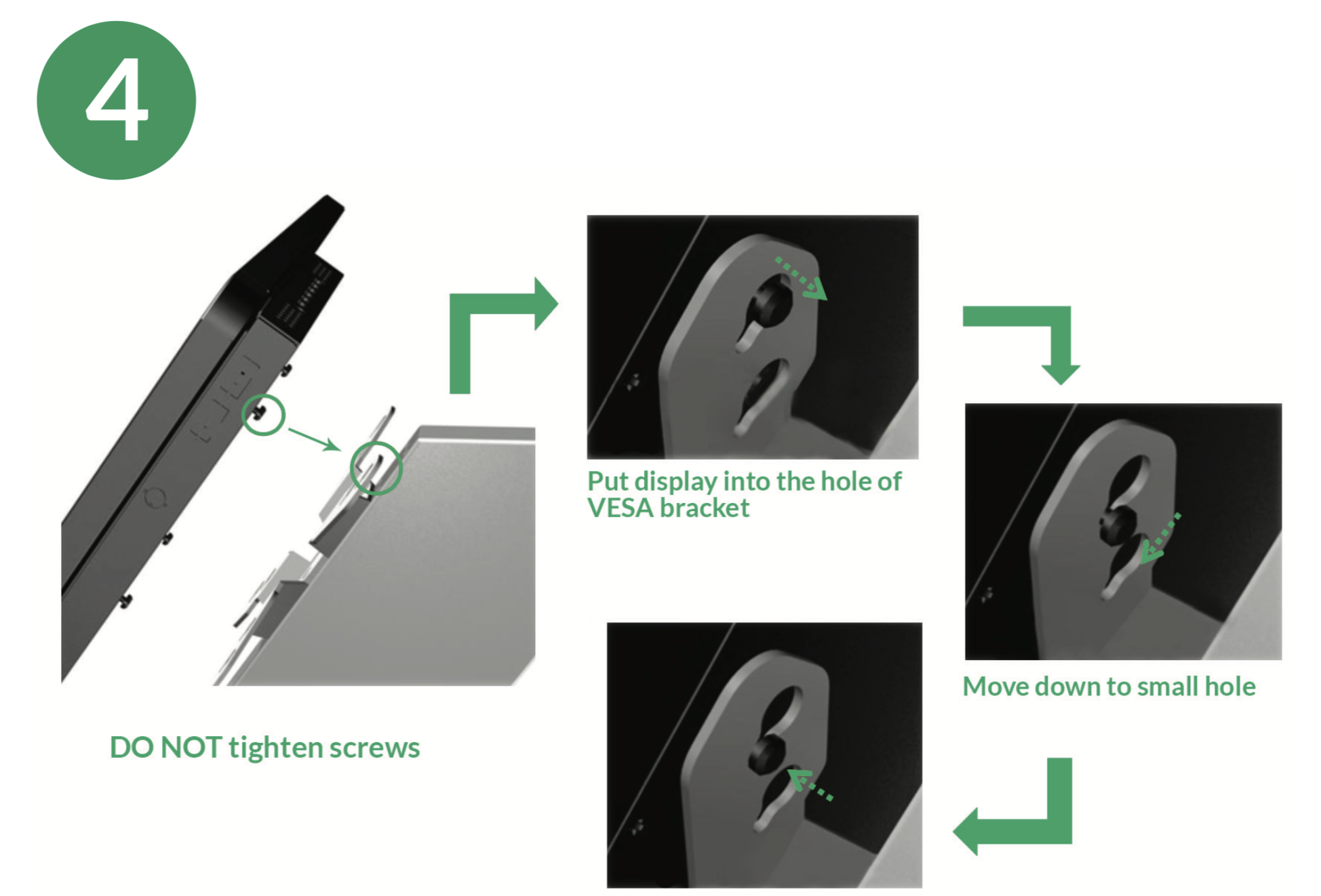
If you have requested a floor stand for your Kiosk, please follow the instructions below to set the stand up using the tools provided:
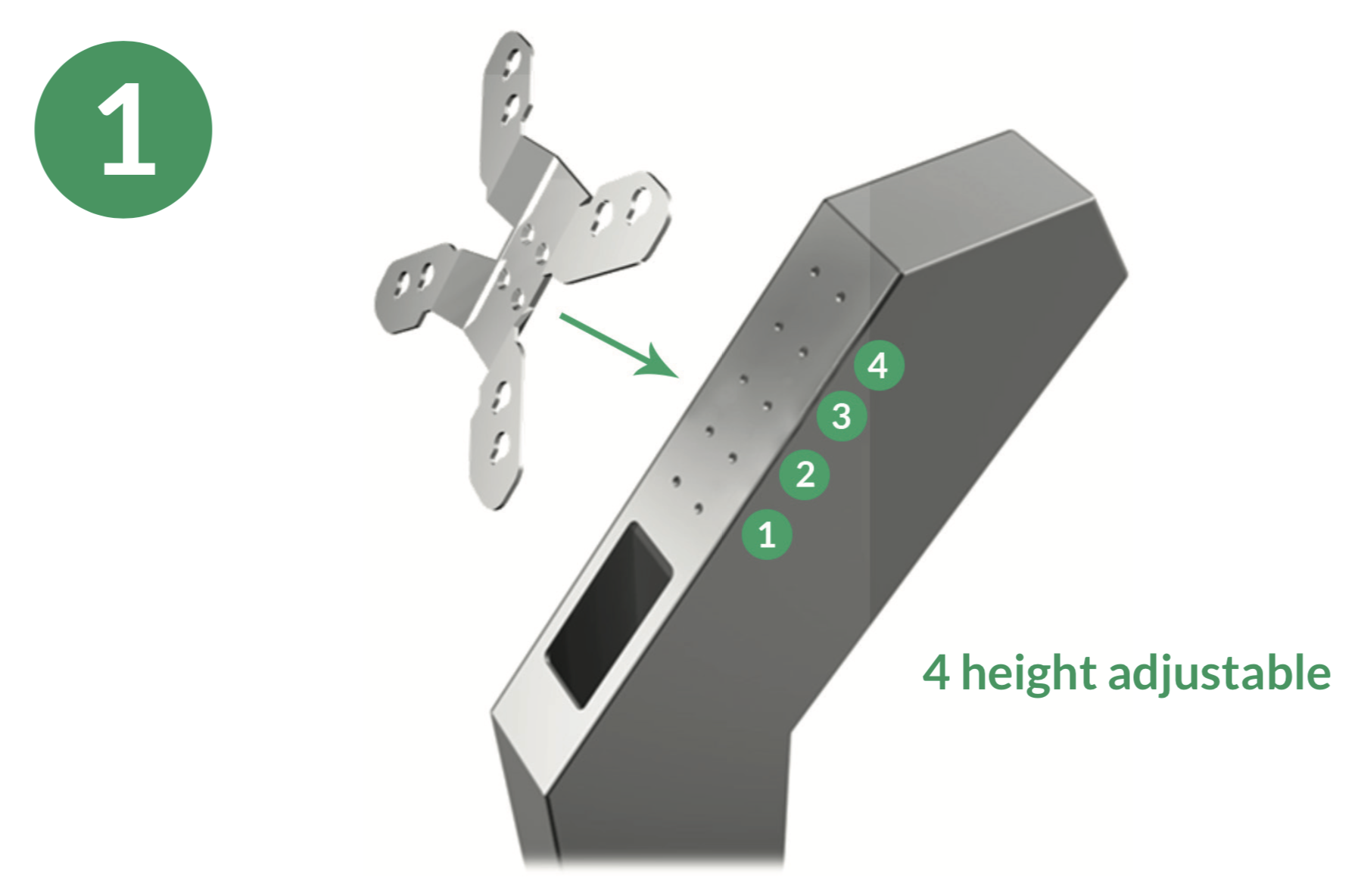
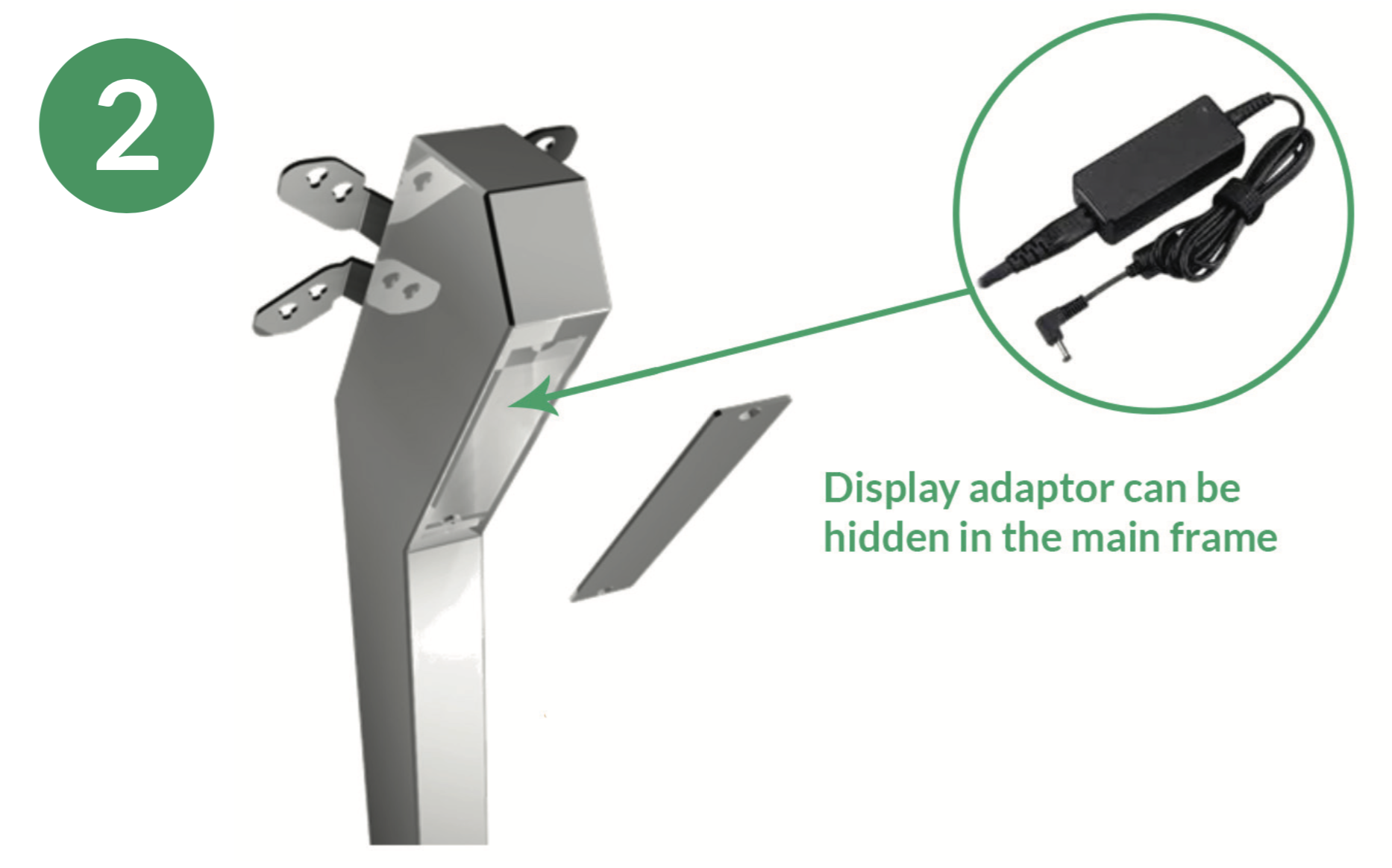
 

Screen_Shot_2019-07-09_at_5.50.25_pm.pngScreen_Shot_2019-07-09_at_5.50.35_pm.pngScreen_Shot_2019-07-09_at_5.50.44_pm.pngScreen_Shot_2019-07-09_at_5.50.55_pm.png

Was this article helpful?
Submit Feedback

0 out of 2 found this helpful

Related articles

  • How does the vaccine stock management feature work?
  • Getting Started with Kiosk
  • How to set up and install HotDoc Kiosk for iPad
  • How to setup your Kiosk Chromebase Hardware
  • How to view past and upcoming Payments

Related articles

  • How does the vaccine stock management feature work?
  • Getting Started with Kiosk
  • How to set up and install HotDoc Kiosk for iPad
  • How to setup your Kiosk Chromebase Hardware
  • How to view past and upcoming Payments
© 2023 HotDoc Online Pty Ltd | Terms of Service | Privacy Policy | Contact Us
© 2023 HotDoc Online Pty Ltd

Terms of Service | Privacy Policy